Hotspot and PPPoE billing for RouterBOARD networks
IOX Billing connects to your MikroTik routers over the RouterOS API and a WireGuard tunnel, sets up the hotspot, PPPoE and RADIUS for you, and then sells, authenticates and meters every customer session.
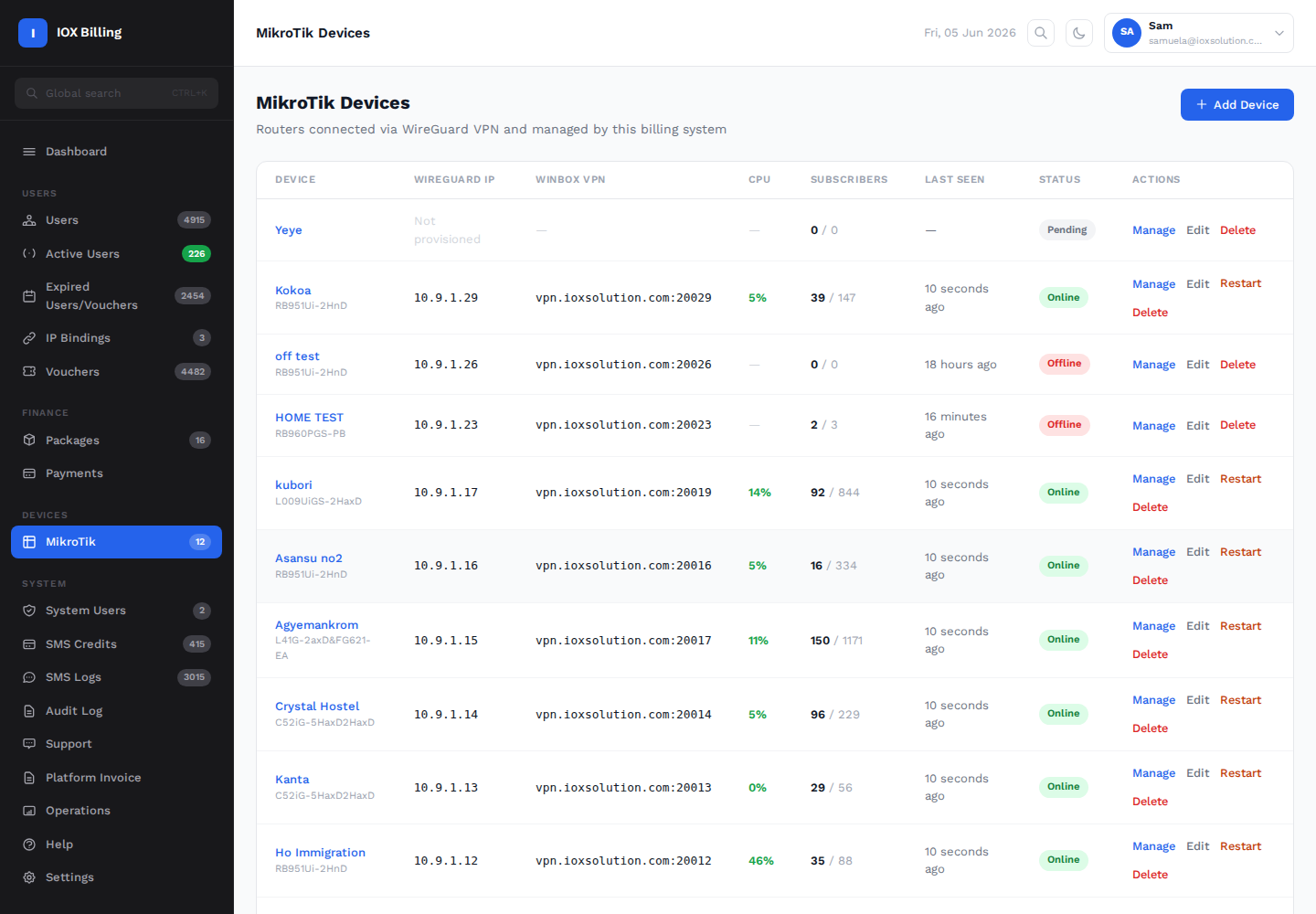
What IOX Billing does on RouterOS
Everything is applied through the RouterOS API. Operators don't need to paste scripts or open Winbox for day-to-day changes.
One-command onboarding
A single provisioning command adds the router, creates a WireGuard interface back to our servers and allows our API access over that tunnel.
Hotspot setup
Creates the hotspot bridge, DHCP pool, hotspot server and profile, uploads branded login pages and keeps the walled garden in sync with payment gateways.
RADIUS login and accounting
Hotspot and PPP authenticate against our FreeRADIUS. Interim accounting tracks time and data for every session.
Instant disconnects
RADIUS CoA/Disconnect (port 3799) ends a session the moment a voucher or subscription expires or is disabled.
Plans and speeds
Per-plan speed limits through Mikrotik-Rate-Limit, data caps, fair-use throttling, device limits and MAC-locked vouchers.
Payments to login
Customers pay by mobile money or card on the captive portal and are logged straight in on the router, with no code to type.
Health and audits
Online/offline monitoring, CPU and version reporting, and a configuration audit that checks the tunnel, RADIUS, hotspot, NAT and firewall.
Remote access
Winbox and WebFig reach each router through the tunnel, so routers behind CGNAT or a mobile connection are still manageable.
RouterOS and RouterBOARD compatibility
What a MikroTik router needs to work with IOX Billing.
| RouterOS version | RouterOS v7 is required, because the management tunnel uses WireGuard. Routers in service today run 7.12.1 to 7.25.1. |
|---|---|
| Licence level | Level 4 or higher is recommended for busy hotspots, because lower levels allow few active hotspot users. |
| RouterOS features used | API (8728, used over the tunnel) · WireGuard · IP Hotspot · PPPoE server · RADIUS client with incoming CoA/Disconnect · DHCP server · bridge · firewall NAT and filter · walled garden · netwatch and scheduler |
| Services | Hotspot (vouchers, mobile-money purchases, MAC-cookie re-login) and PPPoE subscribers, on the same router or separately |
| Connectivity | Any internet connection, including CGNAT, LTE and Starlink. The router makes an outbound WireGuard connection, so no public IP or port forwarding is needed. |
| Hosting | Cloud-hosted by IOX Solutions. Nothing to install on a PC or server. |
RouterBOARD models running IOX Billing today
Model codes as reported by the routers. Any RouterBOARD that runs RouterOS v7 with Hotspot is supported.
Getting a router online
- Add the router in the dashboard and choose hotspot, PPPoE or both, and which ports to use.
- Paste one command into the RouterOS terminal. It sets up the WireGuard tunnel and API access.
- IOX Billing does the rest: hotspot, RADIUS, pools, login pages and walled garden are set up over the API, then checked by an automatic audit.
- Start selling vouchers, mobile-money packages and PPPoE plans.
Run your MikroTik hotspot on IOX Billing
14-day free trial. Questions or a demo: info@ioxsolution.com